Selko: Baby & Nanny
Your child’s day, shared with everyone who helps.
Meals, sleep, health and growth, from the first bottle to 18. Parents, grandparents and your nanny see the same day, in one calm app.
Free on the App Store · No ads · No tracking

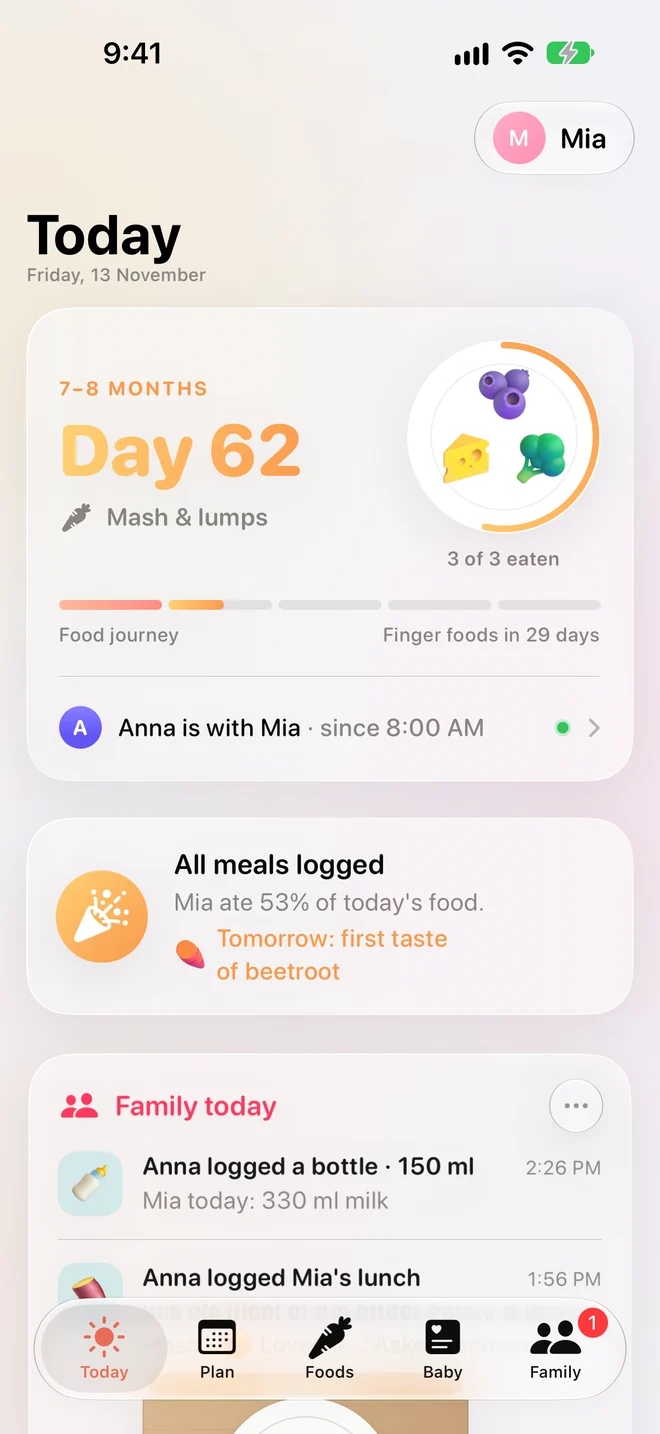

Anna logged Mia’s lunch
Ate all the sweet potato mash · Loved it

Anna logged a bottle · 150 ml
Mia today: 330 ml milk

Mia is napping
Fell asleep at 12:40
First taste: broccoli
Day 63 · no reaction

From birth to 18
One app that grows up with them.
0–6 months
Newborn
Bottles, naps, nappies and notes. A countdown to starting solids and the signs your baby is ready.
6–24 months
Starting solids
A day-by-day weaning plan: which meals, which new food to try, and how to serve it safely for their age.

2–18 years
Growing up
Today grows with your child: meals, sleep, health, growth and the people who help.
The food journey
548 days · 5 stages
First tastes
6 months
Days 1–30
Mash & lumps
7–8 months
Days 31–90
Finger foods
9–11 months
Days 91–180
Family table
12–17 months
Days 181–365

Little chef
18–24 months
Days 366–548
Each new food at the right time, with how to serve it for their age. The plan moves on with them, one day at a time.
Meals
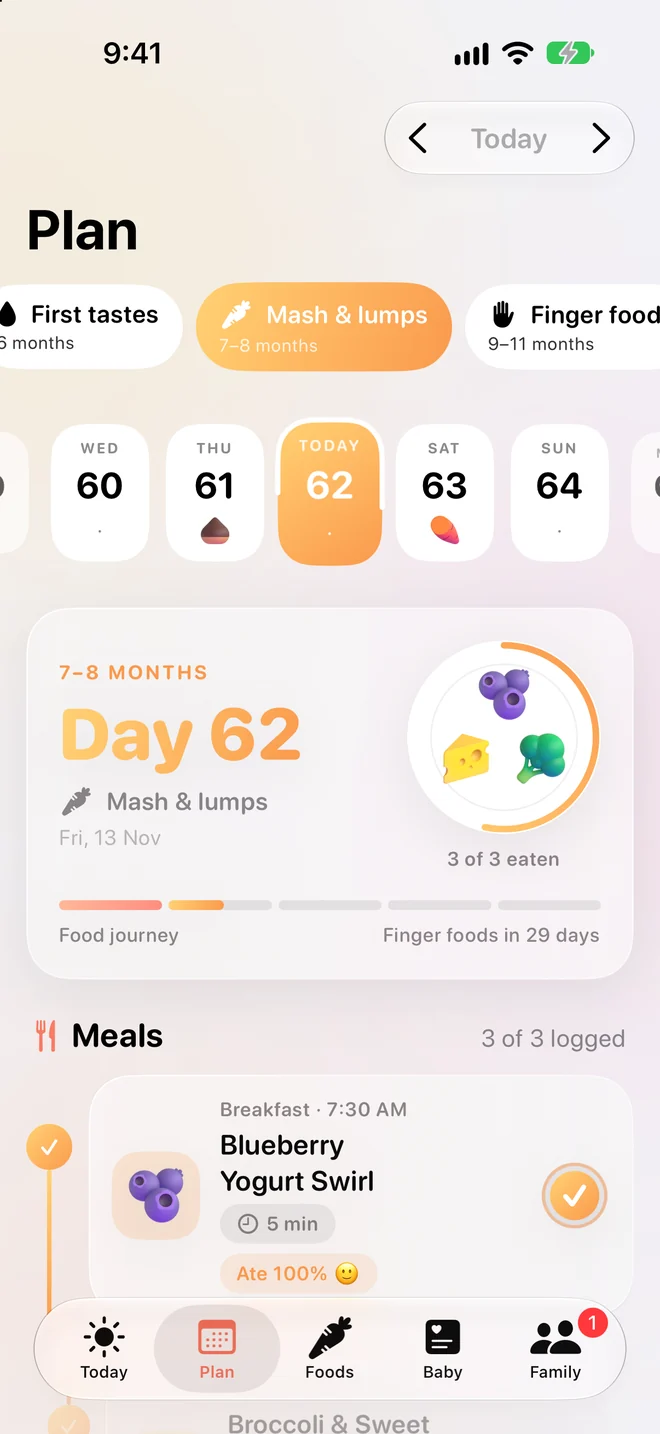
Know what to feed them today.
A plan for every day from 6 to 24 months: three meals, the new food to try and the allergens to keep offering. Recipes come with a cooking mode and timers, and the shopping list fills itself for the week.
Foods
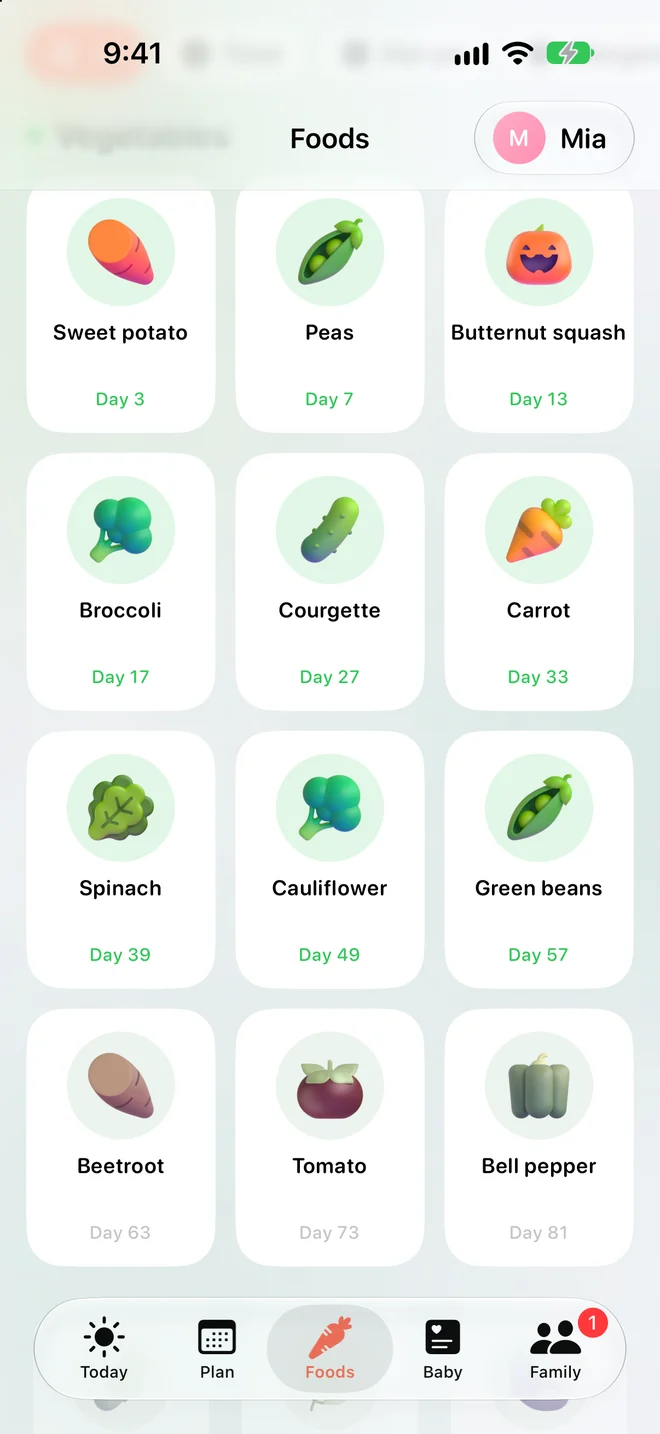
84 foods, and how to serve each one.
Every food shows the day it comes up in the plan, how to cut or mash it for their age, choking notes and allergens. Log how they took a new food and it’s marked as tried.
Care together
Everyone sees the same day.
Invite your partner, the grandparents or your nanny. When someone logs a bottle, a meal or a nap, the whole family sees it, so nobody has to ask “has she eaten yet?”
Health
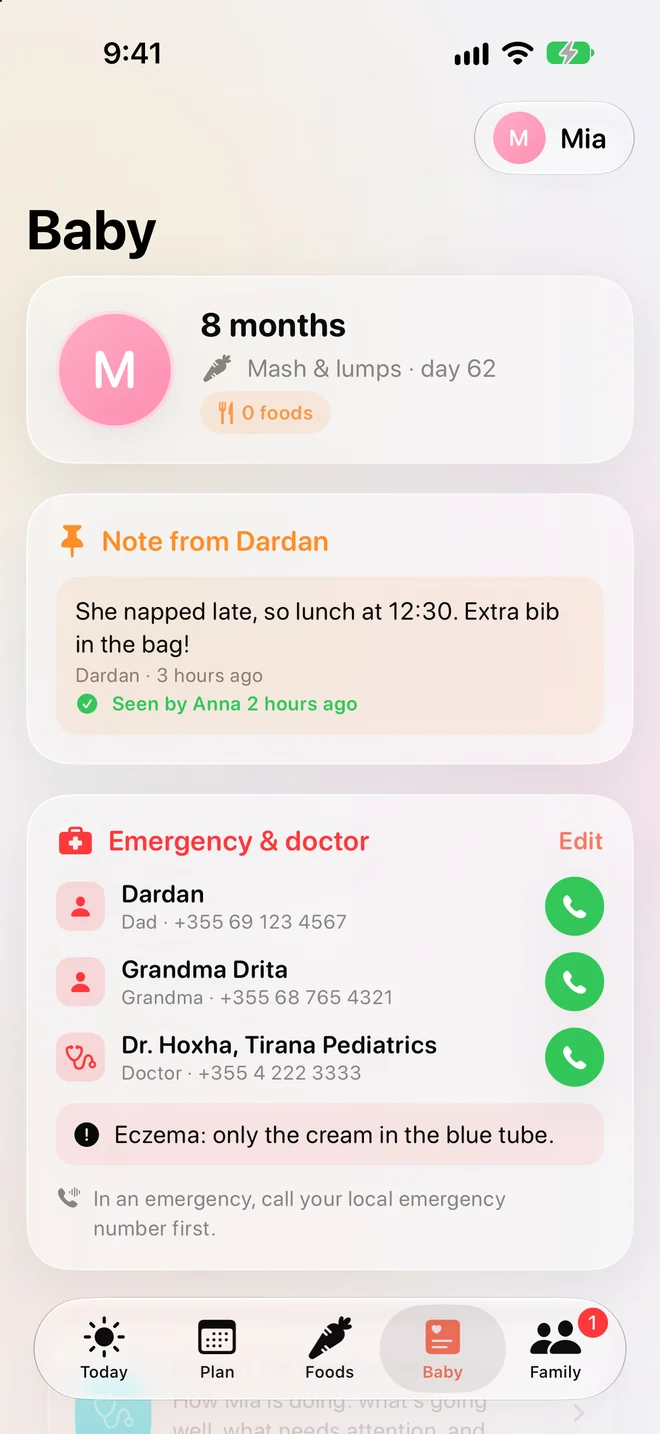
The important things, one tap away.
Emergency contacts and the doctor, allergies, medicines with reminders, vaccines, temperatures and growth charts, plus a report to bring to your doctor.
For nannies and babysitters
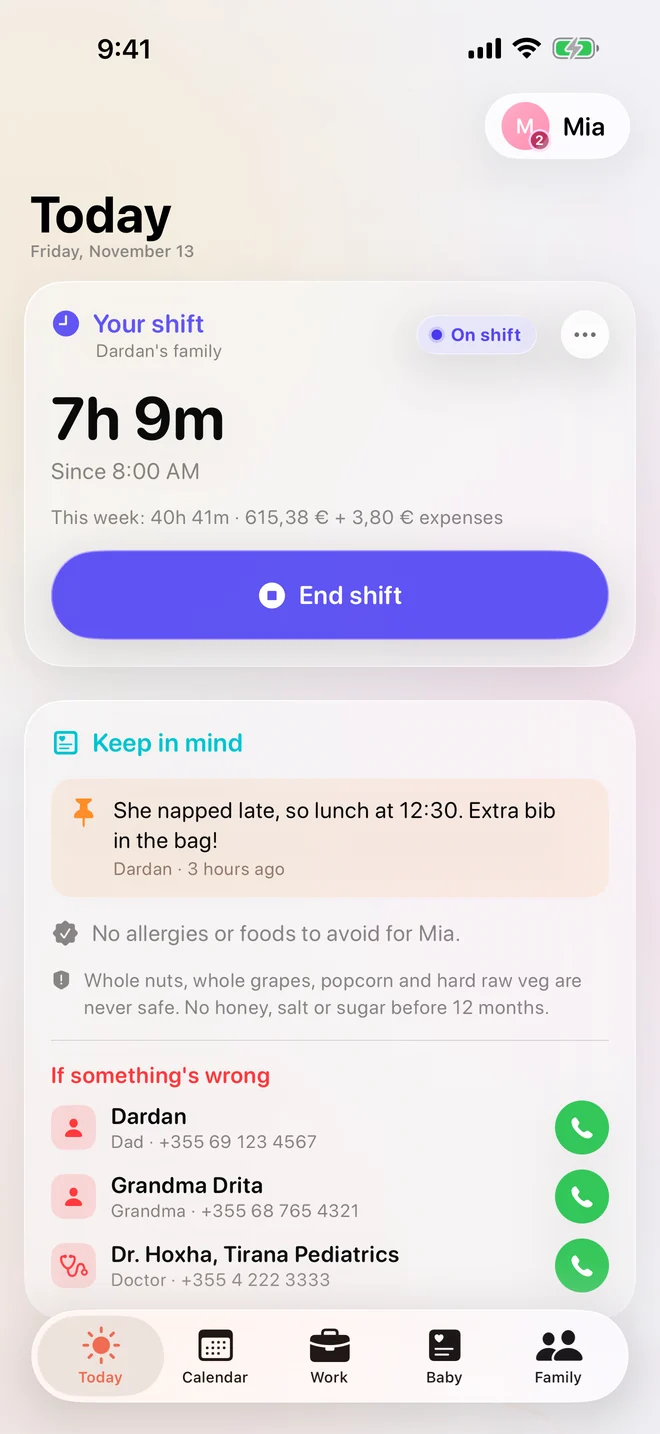
Shifts, hours and pay, without the spreadsheet.
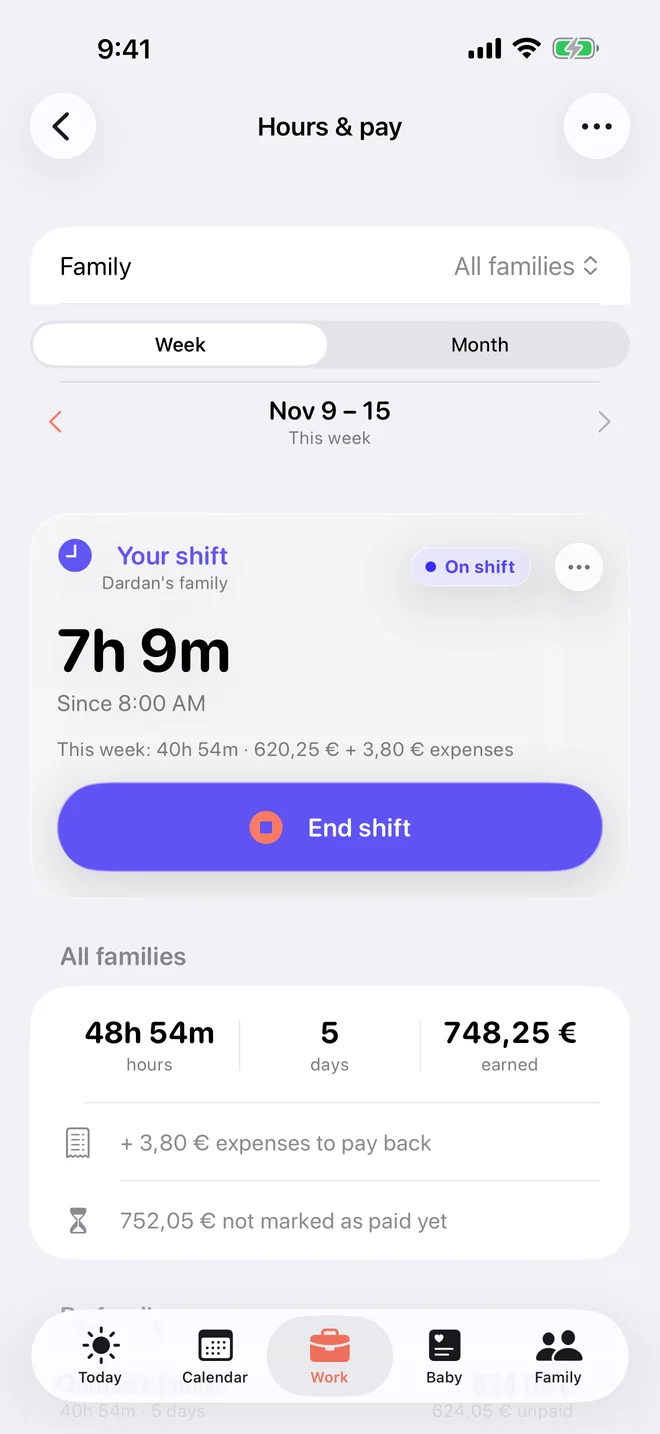
Start and end a shift with one tap. Add expenses with a photo of the receipt. At the end of the week, send it to the family to approve. Weekend, evening, overtime and holiday rates are worked out for you, even when you work for more than one family.
Care calendar
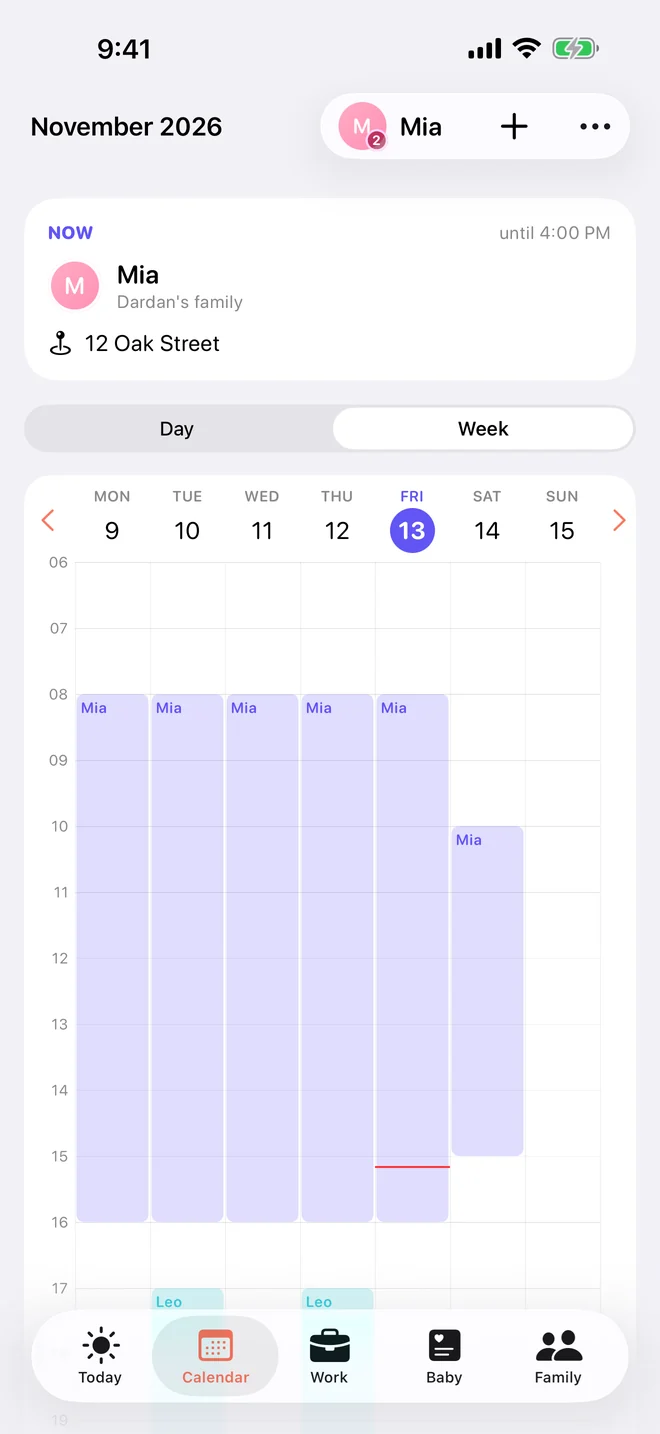
Who looks after whom, when and where, with directions.
Weekly approval
Families approve the real total. Any change asks to send again.
Find work
Answer families’ care requests with your own schedule and rate.
Made for iPhone
Log it the moment it happens.
Widgets
Today’s plan and quick logging on your Home Screen.
Live Activities
The next meal or a running shift on the Lock Screen.
Siri
“Log a bottle in Selko.” Hands full, still logged.
Apple Watch
Log from your wrist and see what’s next.
Doctor report
Growth, drinks and symptoms as a PDF to share.
More than one child
Each child has their own profile and age.
Private by design
Your family’s day stays your family’s.
No ads, no analytics, no tracking. Use Selko without an account and everything stays on your iPhone and in your iCloud. When you share, only the people you invite can see it, and you can delete your account and data from inside the app.
Read the privacy policyQuestions
Do I need an account?
No. Without an account everything stays on your iPhone and in your iCloud. Sign in with Apple only when you want to share with family or a caregiver.
Who can see my child’s data?
Only the people you invite. Parents see and change the plan; caregivers log the day and see the plan. You can remove anyone at any time.
Can a nanny use it for more than one family?
Yes. A caregiver can join several families and sees each family’s children, calendar, hours and pay separately.
Is it medical advice?
No. Selko gives general guidance based on WHO, AAP and NHS advice. Always check with your doctor or health visitor.

Selko is on the App Store.
Download it for iPhone and Apple Watch, then invite your partner and your nanny from the Family tab.
Download on the App Store